
Why this board matters most
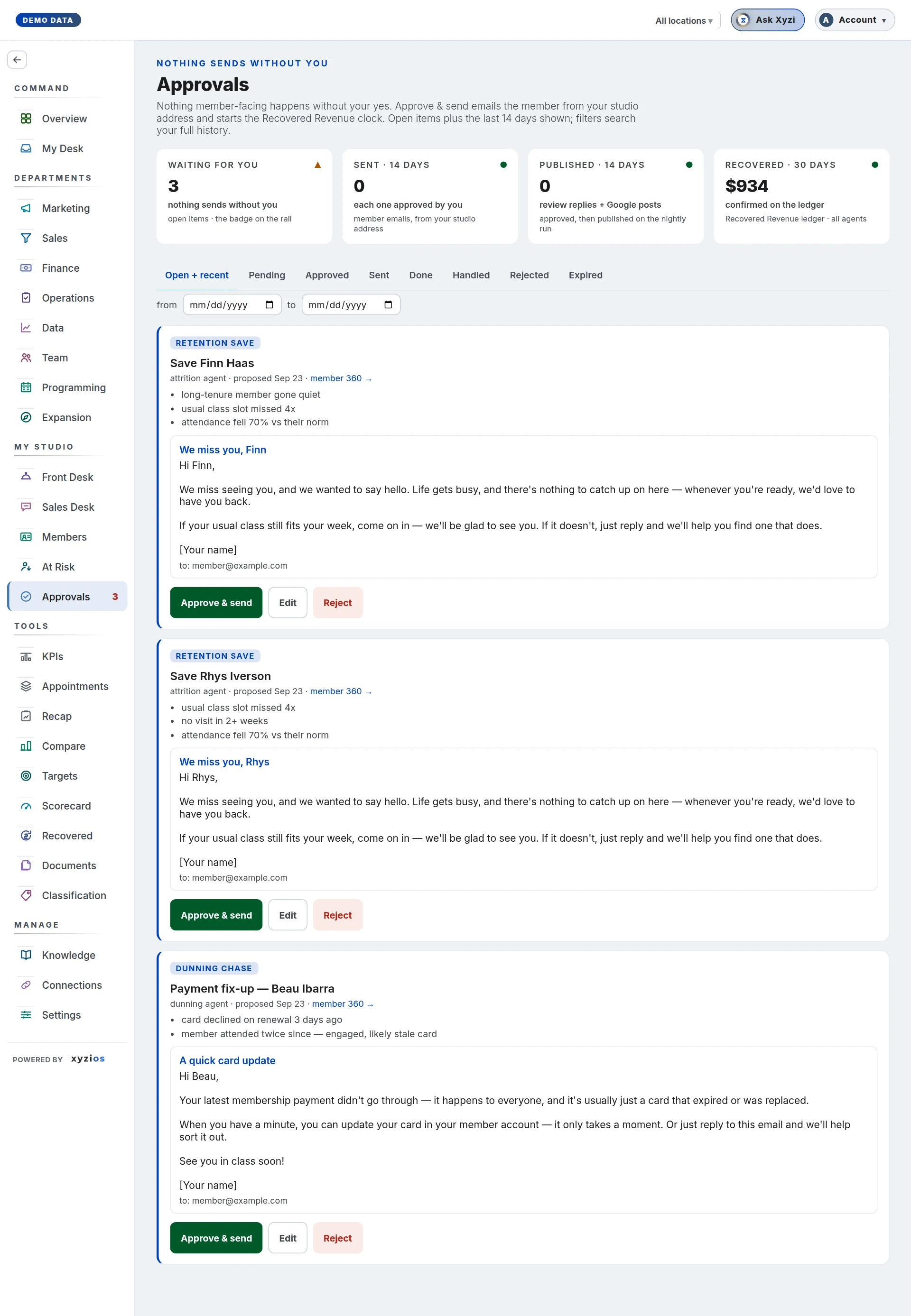
Every night your AI team reads the studio and drafts the follow-ups a good manager would send: a note to a member who has stopped coming, a reminder about a failed payment, a nudge for an intro going quiet. None of it goes anywhere until someone approves it here. The drafts are the engine; your decisions are what turn them into money on the ledger.
Read it
- 1Waiting for you counts the drafts nobody has decided, with the monthly dues at stake when they are saves.
- 2Open + recent is the tab it opens on: everything undecided, plus the last 14 days of what was decided.
- 3member 360 → on a card opens that member’s whole story: visits, payments, and what your AI team proposed for them before. Read it before you decide.
Do this today
- Open each waiting card. Read the draft and the reasons above it.
- If it is right, press Approve & send. A confirmation names the address first, then the email leaves from your studio’s own address.
- If the words are nearly right, press Edit, change them and save. Your version replaces the draft and the original is kept.
- If it is wrong, press Reject and tap why: wrong person, wrong words, wrong timing or already handled. The reason is how your AI team learns what to change.
A draft nobody decides expires after 14 days and earns nothing, so a few minutes here each morning is the habit that matters most.
If the list is empty
Either nothing needs you, or your AI team is not drafting yet. Turn on your AI team’s drafts shows the switches and what each one sends.
Tomorrow
Day 3 opens the Sales Desk: who to call today.