
What this board answers
Who should we call today, and who has been called? Call Lists are the Sales Desk’s call sheets on a board of their own, right under it on the menu: whoever opens the Sales Desk opens Call Lists. On All locations they are the company’s; each location tab is that site’s own lists. If your access is fenced, the header reads Your locations.
How to read it
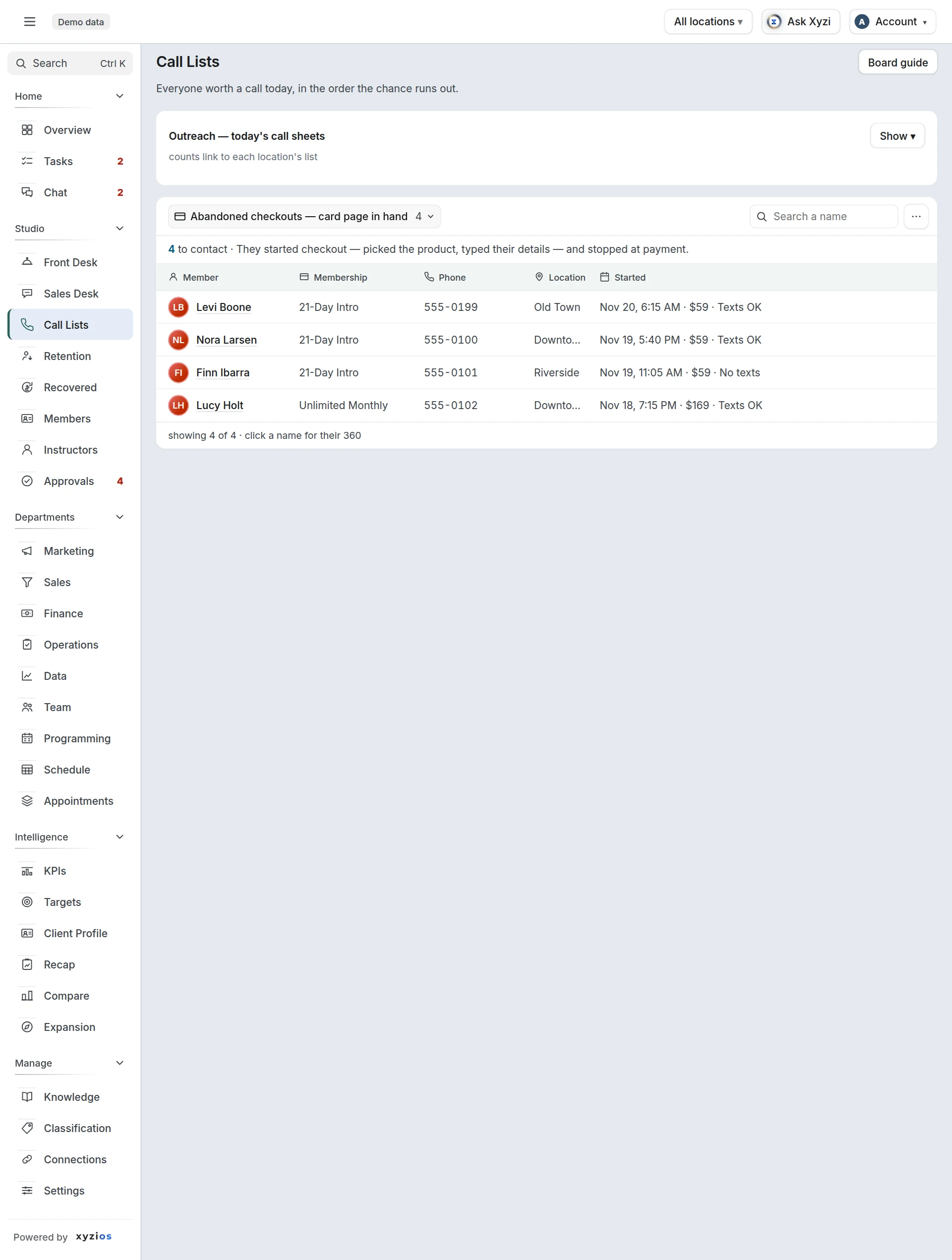
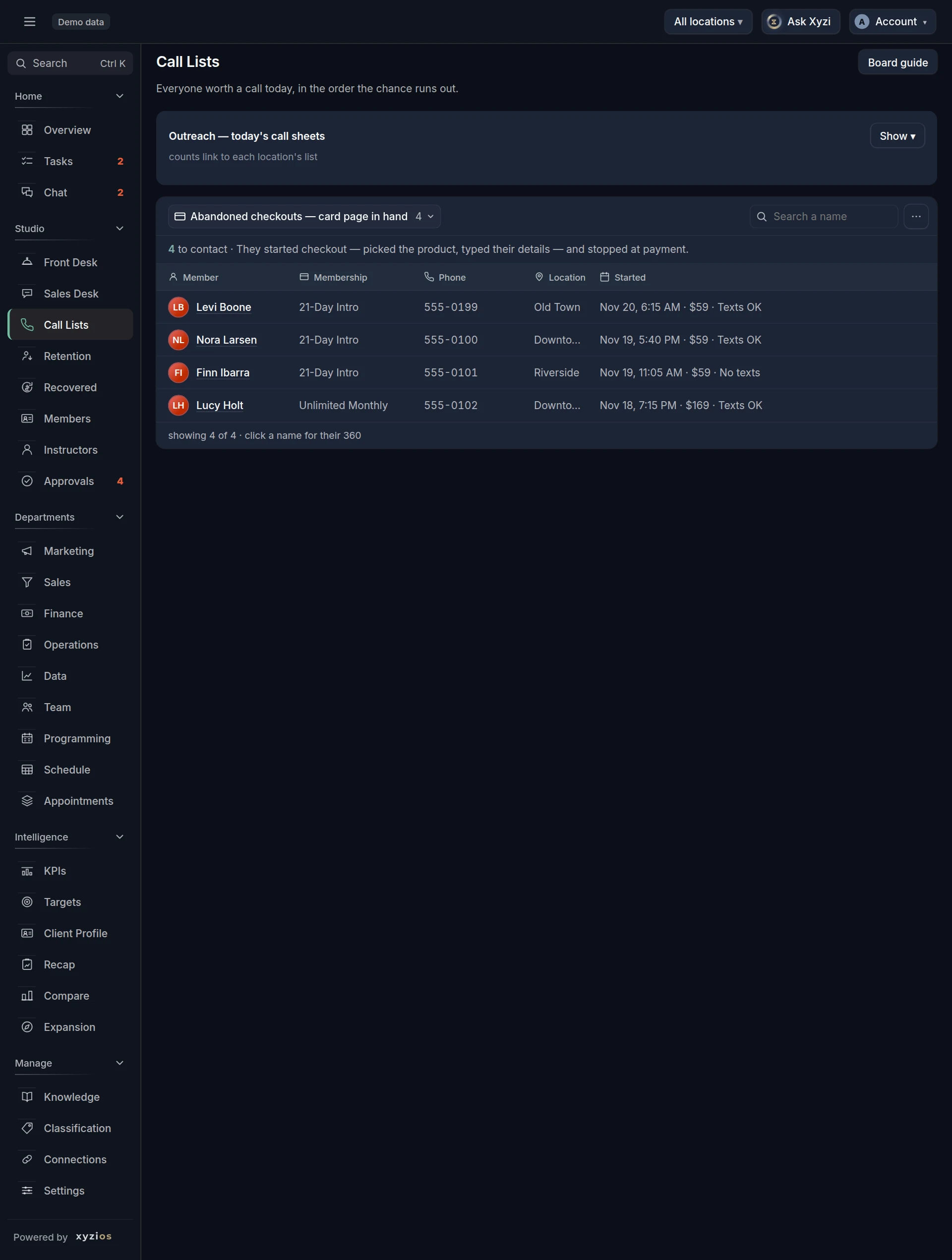
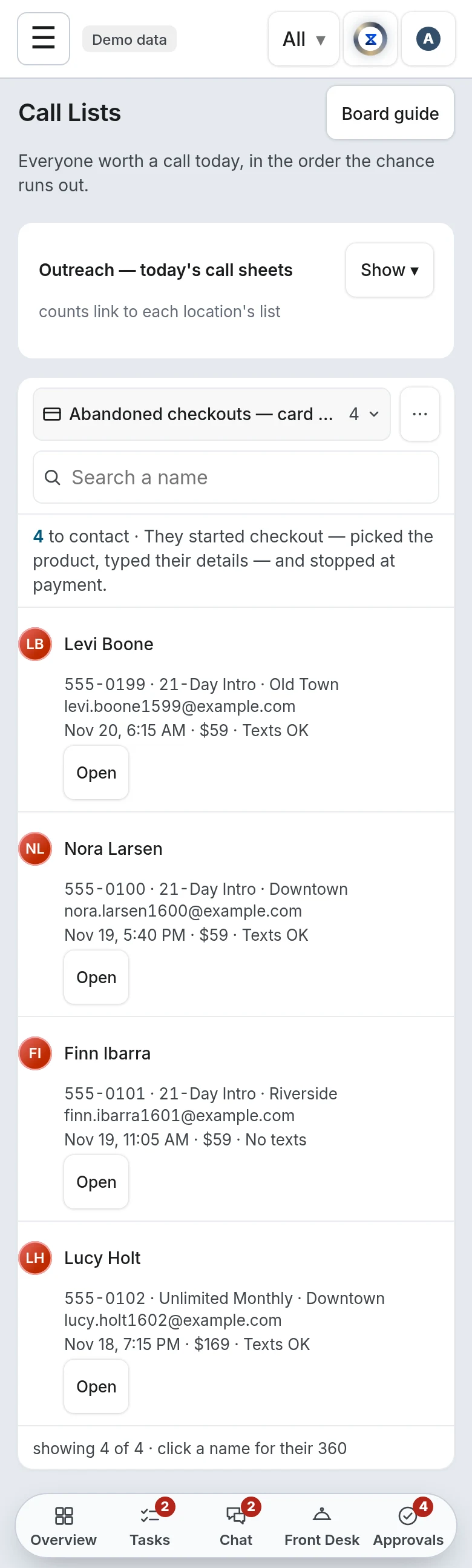
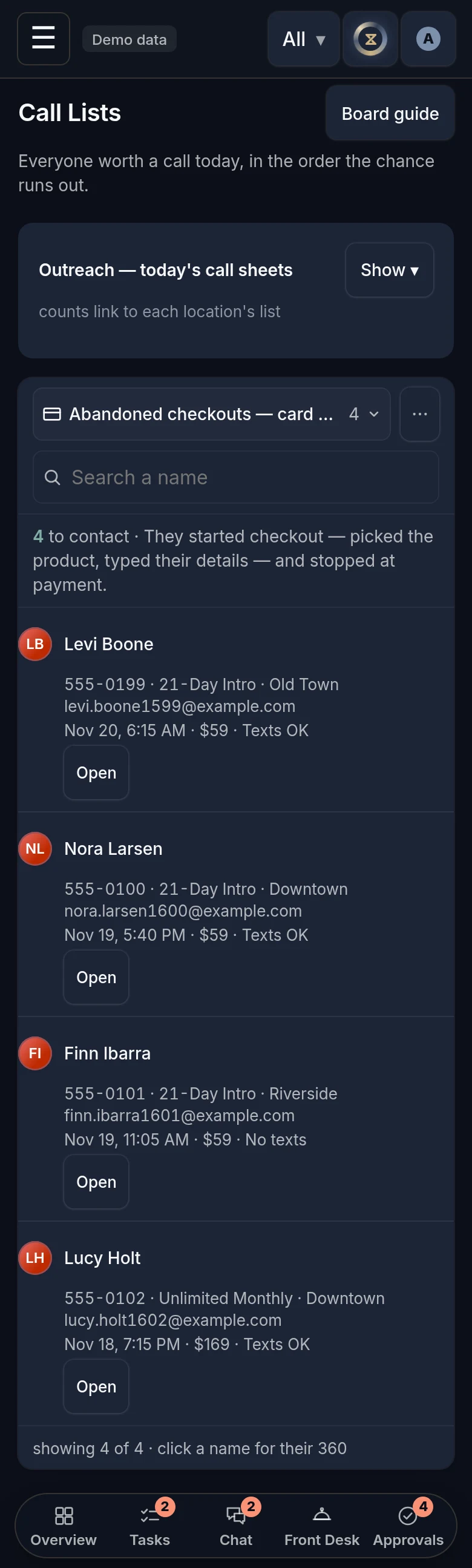
1Outreach — today’s call sheets. On All locations for a multi-location studio this is a matrix of counts per tier and location; tap a count to open that location’s list. A No location column and a No location on file list catch people the platform never attached to a site. At a single-location studio they are on that location’s tab too, marked no location on file. On a location tab the lists are one card, a list at a time. The dropdown at the left of its toolbar picks the list, each with how many are on it there, in the order below; Search a name narrows it. Export CSV, in the arrow at the right of the toolbar or under ⋯ where there is nothing else to press, downloads the list as it is filtered, email and phone included, each field in a column of its own. Under the toolbar, a line says how many are left to contact and opens The play, the whole play in its hover. Each row has the person, their membership or product, their phone and the detail that matters for that list, every other detail in that cell’s hover. Press anywhere on a row to open the person; on a phone, Open on the row does it. The lists:
- Abandoned checkouts — card page in hand, where the feature exists
- New accounts — never came in, never bought — the last 7 days
- Booked, coming up — where your studio runs trial classes or new-client consults: everyone booked on one for today or the next 7 days who is not a member, soonest first, with the day and time and what they booked. A call or a text the day before to confirm.
- Intro expiring — 5 days or less — intros with at least one class attended; an intro nobody has taken a class with is on Intro bought, not started yet
- Missed trial or consult — a no-show or a late cancel on a trial class or a consult in the last 14 days, by someone who has booked and attended nothing since and is not a member, newest first: the call to rebook.
- Intro not attending — first 10 days — intros with one or two classes so far; someone who has not taken a class yet is on Intro bought, not started yet and not here
- Intro bought, not started yet — everyone holding an intro they have not taken a class with: the ones still inside the intro, and the ones who never booked and are past the intro’s own window by more than a week (on Mariana Tek, which dates an intro only when it starts, 37 days after purchase, and for up to a year); the first 50 per location are listed, newest purchase first
- Trial done, not joined — where your first step is a first visit: everyone whose first visit, on a product that counts as one, was in your lead conversion window (30 days unless you changed it) and who has bought no membership, paid-in-full pass or class pack since, newest first. They are the people the funnel’s first visits count.
- Consult done, not joined — where your studio sells a new-client consult: everyone who came to one in the same window and has bought no membership, paid-in-full pass or class pack since, newest first.
- First class — no follow-up — blended funnels, last 14 days
- First visit, no return — people whose first class ever was this month or in the two months before it, who have not been back to a class and have nothing booked, newest first. Anyone who has joined or is on another list here is left out, so nobody is called twice. The list opens on the last 30 days. Pick the last 7 days, or a month by name, under First visit in the list’s Filter. On All locations at a studio with several, its row in the table counts the last 30 days. Came in on narrows the list to what they first came in on, such as a guest pass or a drop-in, because those are different calls; on a location’s list it is in Filter too. It appears where your booking platform says what paid for a visit. The people on this list are not one kind, since some bought nothing and some came in on an intro or a class pack, so each avatar takes that person’s stage now, the one Member 360 shows them in.
- Expired unconverted — last 14 days
- Second-time visitors — two classes, nothing since, last 30 days — people who came on exactly two days, the second in the last 30 days and more than two days ago, with nothing booked since: the step after First visit, no return, counted the same way. The first of the two days is your booking platform’s first visit, so someone whose first class is older than Xyzios’s records is not on it. Newest second visit first; members, staff, partners’ customers and anyone already on another list are left out.
- Win-back offer in progress — people who bought a product you ticked Win-back offer (Classification, Products) in the last 60 days and have not joined: no membership or paid-in-full plan now, and none bought since the offer. One row a person, on the offer they bought last, with the day they bought it, the classes they have taken since and their last class. Oldest purchase first, so nobody runs out of the 60 days uncalled. They come off when they join, or 60 days after buying. While they are on it they are on no other list but Negative account balances, so nobody is called twice about one offer. Staff and partners’ customers are left out.
- Failed cards, cancellations, memberships ending and pauses are on Retention, the board for keeping the members you have.
- Membership bought, not started yet — Mariana Tek studios: a membership or pass that starts at the customer’s first class, bought in the last 12 months and not booked, newest first. Days waiting turn amber at 30; Charged is what they paid at purchase (“—” when it predates the orders Xyzios holds). They leave the list, and join the member count, the moment they book.
- Negative account balances — clients whose account balance in your booking platform is below zero, the most owed first, with how much each owes, so they can be contacted and settled. A client is on the list of their home location, and one with no home location is on the Overview’s No location on file. Balances refresh overnight, so someone who paid today can still be listed until tomorrow. After a Reached call logged on this list, no new payment recovery draft is proposed for that member for seven days. A studio with nobody owing has no such list; if the balances could not be read at the last refresh it says the list did not load rather than that nobody owes.
- Event leads — attended free, never bought — the first 50 per location are listed; the count is everyone
- Trending up — visits rising 3 months running — clients who came on more days in each of the last three calendar months than the one before, the last at four or more, who hold no unlimited plan (a membership or a pass paid in full with no class limit, paused or failing ones included): someone on a class pack, a drop-in or a plan with a class limit who keeps coming more. Days they came, by month shows the three months, oldest first. A plan made for how often they come is the conversation.
- Pack nearly used — 1 class left or ending in 14 days — clients whose class pack has one class left or none, or ends in the next 14 days with classes still on it, who hold no membership and no other pack with classes to spare, and came to a class in the last 60 days; fewest classes left first. Your booking platform has to send a pack’s classes left: MindBody does for every pack, Mariana Tek for a pack sold as a membership.
- Partner regulars — 4+ partner visits in 30 days, not a member — people who came through a partner (ClassPass, Wellhub, or any product you filed as partner) on four or more days in the last 30 and are not members, most visits first. Only where your booking platform shows who the partner’s client is: a visit booked on a partner’s shared account has nobody behind it, so a studio whose partner visits all arrive that way has no list.
Each of those three leaves out staff and anyone already on another list, so nobody is called twice. One that could not be built says it did not load, never that nobody is on it.
On Expired unconverted, First class — no follow-up and Cancellations, the list’s Filter also picks the last 7 days, or a month by name back to the start of the month two months ago: the people behind the list’s own window come with the board, so a month opens at once. With nothing picked the list is its own window, and the counts and the Today email read that.
Intro bought, not started yet is its own list on purpose, and holds two kinds of row.
The first is an intro still inside its own window with no class attended. The expiring list is the membership conversation, and that is not one to have with someone who has not come in, so these rows are here instead. A class means any class they checked in to since the day they bought the intro, the same count as the Classes column on the expiring list. Where they have booked a class and not yet been, the row says “no class yet” and the day the intro ends, with the days left: a booking fixes the intro’s dates, so that date is real. Where nobody has booked, the row says until when the platform shows the intro active and gives no days left, because an intro’s time usually starts at the first class, not at the sale: on a pass nobody has booked that date can move, and it is not a deadline. These intros are still open, so they stay in the open-intro count; they are not in the intros-expiring count, and they are on no other intro list.
The second is an intro nobody ever booked against, past its own window by more than a week. Someone holding one who has been to a class since buying it is not on this list: they have started, on another pass. On a pass nobody has used, the booking platform can keep moving the start and end dates forward, so the same person would read as “expiring in 3 days” every week for as long as the pass sat there; the desk called people about a deadline that did not exist, and the intro counted as sold again every month. Xyzios keys these rows on the day they were paid for instead, keeps them off the expiring and not-attending lists and out of the intros-expiring and open-intro counts, and each row says when it was bought and until when the platform still shows it active, or, on Mariana Tek, that it is still waiting for a first class. The play there is a warm “you still have this — want to come in?”, not a deadline.
A trial booking is one on a class your studio holds for trials (most of the people who come to it come on a product that counts as a first visit), or one paid for with such a product. A consult is an appointment type your studio sells with an intro product: at least half of its appointments were bought with one, the same day or a day either side. An appointment type nobody buys an intro for is not a consult, whatever it is called.
Which lists show is each studio’s own choice: Settings › Features › Call sheets on Call Lists has a switch for every list, all on until you turn one off. A list switched off is not drawn for anyone who opens Call Lists and nobody on it is counted, on Call Lists, on the Sales Desk’s To call today, on a presale room’s More to call or by Ask Xyzi; turn it back on and it is there as before.
Nobody who already holds a membership or a paid-in-full pass is on an intro list (Intro expiring, Intro not attending, Expired unconverted and Intro bought, not started yet): each of them is a call toward a membership. A product counts once it is classified as a membership or paid in full; one nobody has classified yet does not.
The Contact log is a part of this board a studio switches on: Contact log on Call Lists, in Settings › Features, off until you turn it on. With it on, the call sheets record who was contacted, and the Contact log is its own part of the board, under the lists. On All locations at a studio with several locations, two tabs sit above the counts instead, Call sheets and Contact log.
On Call sheets, each list counts who is left to contact and who is done, and every row has a Contact column and three buttons, Call, Text and Email:
- The column reads Not contacted yet, or shows the last few tries (No answer, VM, Text, Reached) with the day of the last one and who made it. A call nobody answered asks for another the next day, and a voicemail, a text or an email two days later: “No answer · try again”.
- Once someone has talked to the person from that list, the row is done: ticked with who and when, dimmed, and dropped to the bottom. It stays done for the list’s own window, from 7 days on the fastest lists, Abandoned checkouts and New accounts among them, up to 30 on the slower lists, and keeps its buttons.
- Engaged — in conversation, under the call sheets, is everyone marked Engaged at that location, the longest since their last contact first. They stay there after the list they came from has moved on. On All locations it is the first row of the matrix.
- Not interested, folded at the foot, is everyone marked that way. They are off every call list.
A mark ends by itself: when a later conversation completes something, when your booking platform shows the person bought (not checked for a mark made on Membership expiring, Negative account balances, Paused members, Payment failures, Cancellations, Membership bought, not started yet, Low use or Trending up), or 90 days after their last contact. Put back clears one sooner.
The Contact log lists what was logged, for Today, 7 days or 30 days. By person counts each team member’s calls, texts and emails, their conversations (a Reached call or a reply), how many completed something, and Bought. Contacts is every contact, newest first: when, who was contacted, from which list, what happened, who logged it, and where the person stands Now (On a list, Engaged, Not interested, Bought or Off the lists). Search a name, filter by what happened, by person or by list, and Export CSV. The Handled taps made on Retention are listed too.
A tier says “Nobody in this tier right now.” when empty and “not loaded” when the last refresh could not read it. A planned location’s tab says there is nothing to sell yet; a presale location’s tab is a door to the Presale board, where its calls are.
What to do here
The board is a call list; the conversations happen off it.
- Work the lists in the dropdown’s order, top to bottom; the top ones go cold fastest.
- Tap a name to open the slide-out, then call or text them with The play as your opener. Open full profile at its top opens their whole profile.
- Where the Contact log is on, log it. Tap Call, Text or Email on the row: the person opens beside the list, with their last visit, next booking, recent visits and contacts, and the questions. Say how it went: Reached, Left voicemail or No answer for a call; Sent for a text or an email, and They replied when the answer comes. Under Completed, pick what the conversation got done, if it sold, booked or saved something. Under Mark as, Engaged keeps them in view and Not interested takes them off the lists. Add a note if you like, then Save. The buttons record a contact; they do not dial or send. Undo takes back one you logged today. Under the new look, where Tasks is on, Assign list gives the whole list to someone as one task, “Work Cancellations (9 people)”: it is the button at the right of the list’s toolbar, or in the arrow beside Work list where your studio has the CRM. The list’s foot then says who has it and how many of its people have been logged from that list since. A list is given once at a time at each location; when the task is ticked done it can be given again. Someone fenced to locations gives a list at one of their locations at a time, from that location’s tab. The count reads the last 90 days of the log.
- Switch location with the location bar; on All locations, tap a count in the matrix.
Failed-payment emails are not sent from here; they are proposed into Approvals for the owner. The calls are on Retention’s Payment failures list.
Work list
Where your studio has the CRM, a call sheet with someone on it has a Work list button at the right of its toolbar. It opens the list one person at a time on the whole screen, with why they are on it, their conversation and the message box, and Call. The arrows and Skip move between people, and Next comes up after a text, an email or a logged call. Next only moves: no message and no call starts until you press on that person. Where a list shows only its first people, Work list goes through those and says so, and anyone with no profile is counted and left out. Retention’s guide says more.
Common questions
The board says No location is ticked for you yet.
Your access is to particular locations and none is ticked on your row, so there are no call sheets to show. An owner ticks yours in Settings → My Team. At a studio with one location you never see this: that location is yours.
Event leads says 817 to contact but lists 50.
Lists with no time window are cut to 50 per location so the board stays fast; the count is real. Every other tier ships whole.
A tier says “not loaded”.
The last refresh could not read it. It is missing, not empty; the next refresh tries again.
Someone’s intro ends this week and they are not on Intro expiring.
Either it ends more than 5 days from today, and they join the list on the fifth day, or they have not taken a class with it yet. Then they are on Intro bought, not started yet until they check in to one.
Someone cancelled two months ago and is not on Cancellations.
That list goes back 30 days by the day they cancelled. While their access is still running they are on Membership expiring, on their last day.
Why is someone whose term ends next month not on Membership expiring?
They hold another membership that renews, or have already bought their next one, so they are not leaving. The list dates each person by the last day any of their memberships runs to.
Can I tick off someone I called?
Where the studio has switched on the Contact log, yes: tap Call, Text or Email on their row and say how it went. Log a call, a text or an email walks through it. Without it, the call sheets record nothing about calls. Either way, each list is worked out again at every refresh, from what people have booked and bought and from the list’s own window, and no lead becomes a task.
I logged a call and they are still on the list.
A voicemail or a call nobody answered leaves them to be tried again. A conversation ticks the row and drops it to the bottom. They leave the list when its own rule stops applying, or when you mark them Engaged or Not interested.
Completed and Bought do not match.
Completed is what the caller picked. Bought is what your booking platform shows within 14 days after the contact: on Abandoned checkouts, New accounts, Event leads, Intro bought, not started yet, Pack nearly used and Partner regulars, the person’s next purchase, not counting retail, fees or comps; on the intro lists, First class, Expired unconverted, the trial and consult lists, First visit, no return, Second-time visitors and Win-back offer in progress, a membership. Contacts from Membership expiring, Negative account balances, Paused members, Payment failures, Cancellations, Membership bought, not started yet, Low use and Trending up are not checked, nor are those logged from Retention. Trending up holds members on a plan with a class limit, and their own plan charging would read as the upgrade.
Where does a note go?
Onto the notes on the person’s profile, with what happened and the list it was logged from. The Contact log says a contact has a note and does not show the words.
Who can log a contact?
Anyone who opens Call Lists, which is everyone who opens the Sales Desk, at the locations they see. The log’s By person table counts everyone’s contacts at those locations, and says how many it left out.